React Navigation 8.0 - March Progress Report

We've been busy since the first alpha release of React Navigation 8.0. Our main focuses have been improving the DX around deep linking and TypeScript, and using modern features and patterns such as React.Activity and other React features such as Suspense, React Native features as PlatformColor, validation with Standard Schema etc.
This post covers the features and improvements that landed since the first alpha release back in December 2025.
Minimum requirements
In order to use the latest React features such as Activity, use etc., React Navigation 8 requires React 19 or later. This means:
- React Native 0.83 or later
- Expo SDK 55 or later
Highlights
New inactiveBehavior option for all navigators
Unlike Web routing libraries, React Navigation keeps unfocused screens mounted to preserve local state and enable smooth transitions - matching native app behavior. The downside is higher memory usage.
Previously, react-native-screens helped by detaching inactive screens (detachInactiveScreens in supported navigators) from the native view hierarchy. However, the integration was complex and added maintenance burden. So we're working on alternative approaches.
We have added a new inactiveBehavior option to all navigators that gives you control over how inactive screens are handled. Currently it supports the following values:
pause- inactive screens are rendered, but effects are cleaned up usingReact.Activity(default)unmount- inactive screens are unmounted and remounted when they become active again (only available in Native Stack and JS Stack)none- inactive screens are kept mounted as normal
Any subscriptions, timers etc. are cleaned up for paused screens, which would avoid re-rendering paused inactive screens unnecessarily.
Example:
screenOptions: {
  inactiveBehavior: 'pause',
}
See navigation lifecycle documentation for more details.
If you have specific use cases or feedback on this API, please let us know on GitHub Discussions.
Deep links enabled by default
Previously, deep links were needed to be explicitly enabled by setting linking.enabled to true or auto, or by passing a linking prop. This was because users needed to specify at least the prefixes array, which was necessary to support environments such as Expo which had a special URL prefix. However, this is no longer the case.
So deep linking is now enabled by default when using static configuration without needing to pass any linking related options. Paths are automatically generated based on screen names (converting PascalCase to kebab-case), and custom patterns and parsing logic can be added on a per-screen basis as needed.
If you don't want to enable deep linking, you can still opt out:
<Navigation
  linking={{
    enabled: false,
  }}
/>
See configuring links documentation for more details.
Support for Standard Schema for linking
As part of our effort to improve type safety, we have added support for using schemas from a Standard Schema compatible library such as Zod, Valibot or ArkType in the parse property of linking config.
Example with Zod:
import { z } from 'zod';

const RootStack = createStackNavigator({
  screens: {
    Profile: {
      screen: ProfileScreen,
      linking: {
        path: 'user/:id',
        parse: {
          id: z.coerce.number(),
        },
      },
    },
  },
});
Compared to the parse functions, schemas provide a few advantages:
- Support for validation and fallback: A parse function only parses the param. A schema can also validate the param. If the validation fails, the URL won't match the current screen and React Navigation will try the next matching config. Schemas are also called with
undefinedwhen a query param is missing, which lets them provide a fallback, while parse functions are not called when a query param is missing. - Better Query Param handling with TypeScript: When using Static Configuration, query params (e.g.
?foo=bar) are always inferred as optional withparsefunctions. With schemas, you can specify whether a query param is required (e.g.z.string()) or optional (e.g.z.string().optional()).
See configuring links guide and typescript guide for more details.
SF Symbols and Material Symbols
We've added first-class support for SF Symbols on iOS and Material Symbols on Android throughout the library.
A new SFSymbol component renders a native SF Symbol on iOS:
import { SFSymbol } from '@react-navigation/native';

function HeartIcon() {
  return <SFSymbol name="heart.fill" color="tomato" />;
}
And a MaterialSymbol component renders a native Material Symbol on Android:
import { MaterialSymbol } from '@react-navigation/native';

function HeartIcon() {
  return <MaterialSymbol name="favorite" color="tomato" />;
}
These icons are used across various navigators for tab bar icons, header icons, and more.
See icons documentation for more details and examples.
Material themes
In React Navigation 8, we added support for React Native's PlatformColor and DynamicColorIOS APIs across our components and theming system.
Based on this, we now export 2 new themes based on Material Design 3 on Android:
MaterialLightThemeMaterialDarkTheme
These themes support Android 14+ and use dynamic color scheme based on user's preferences or wallpaper. Under the hood, they use PlatformColor to reference system colors such as @android:color/system_primary_light, @android:color/system_on_surface_light etc.
When Material themes are used, some navigators such as @react-navigation/bottom-tabs will also adjust their colors to match the Material Design 3 guidelines.
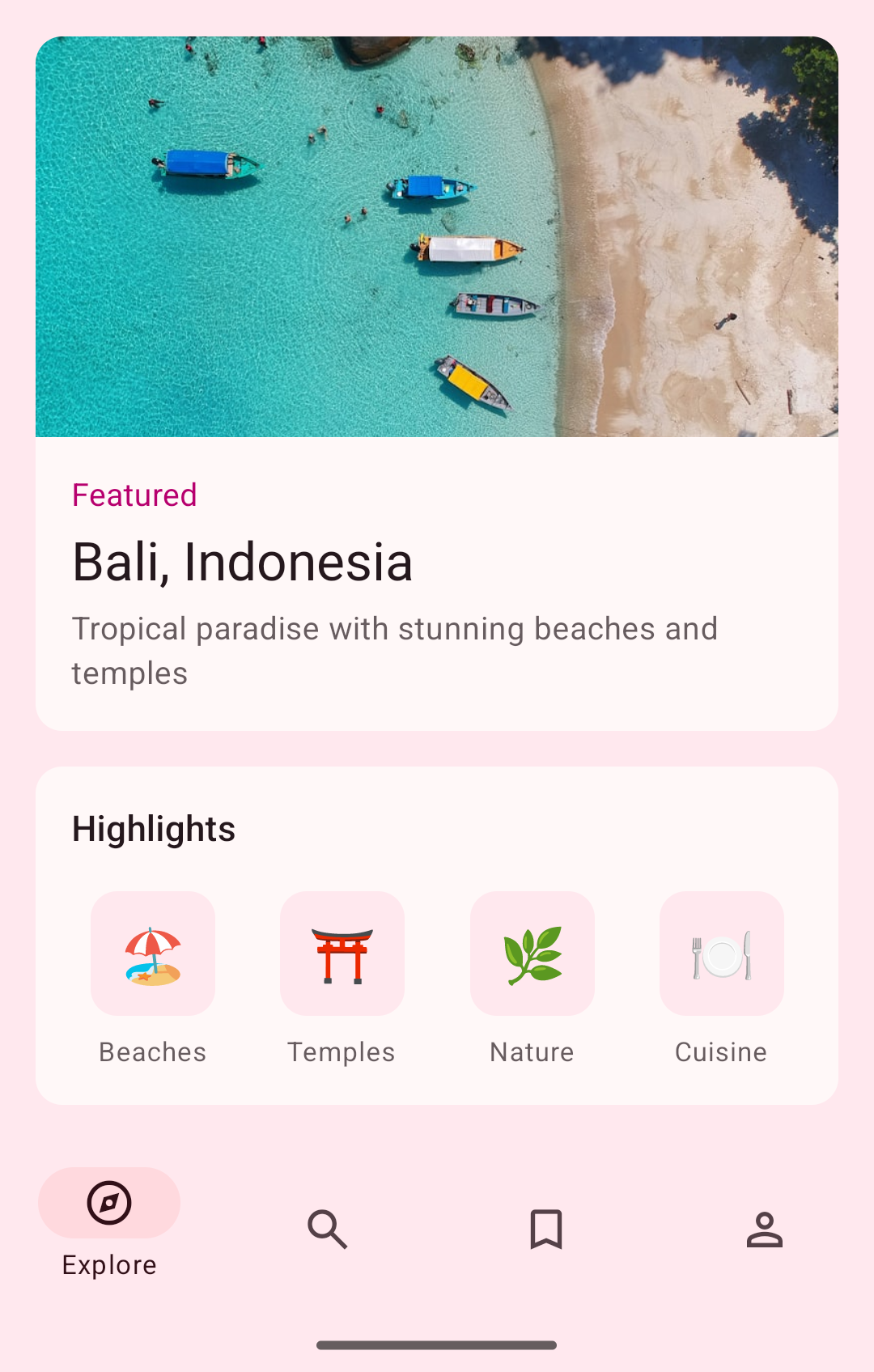
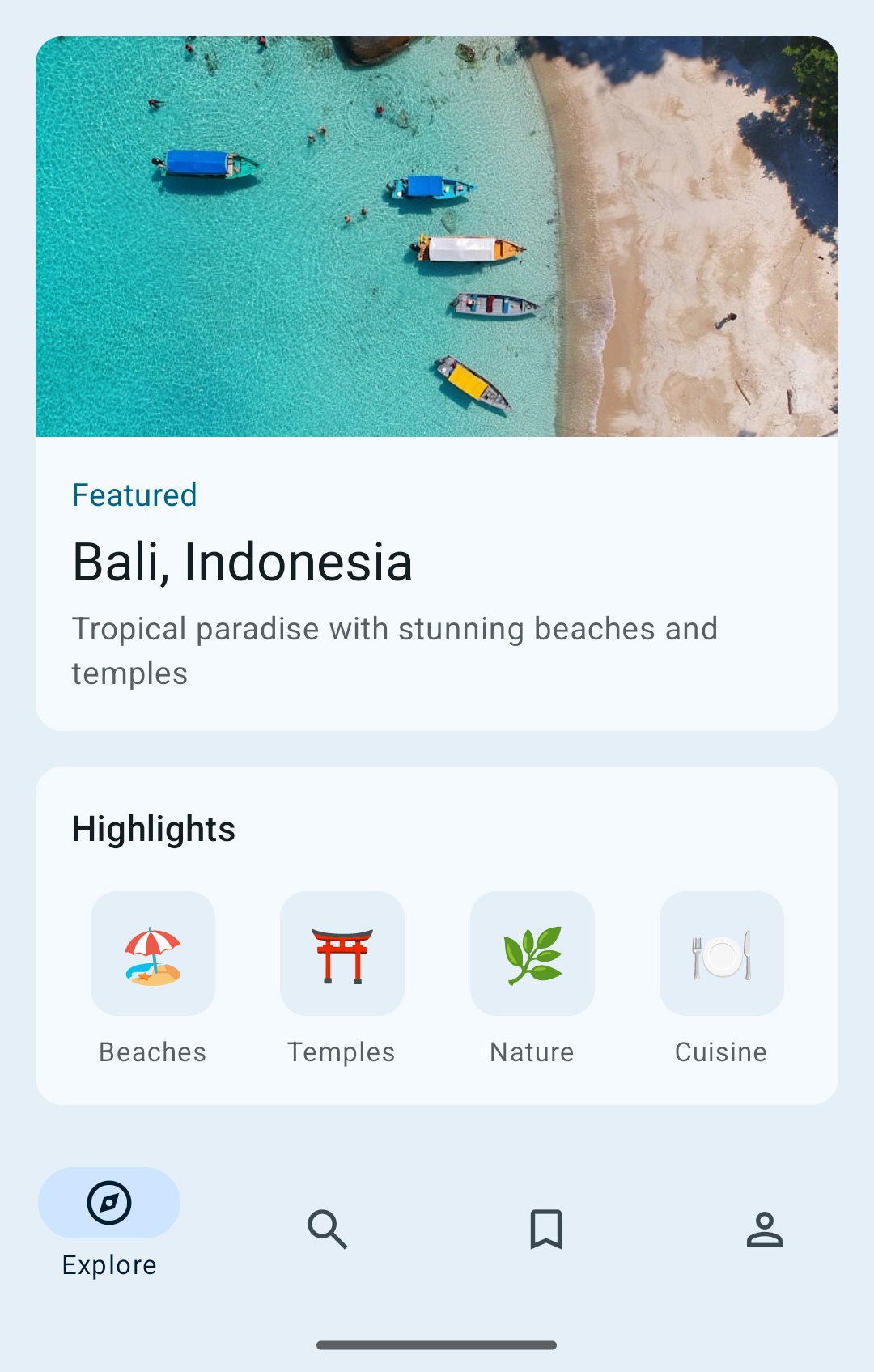
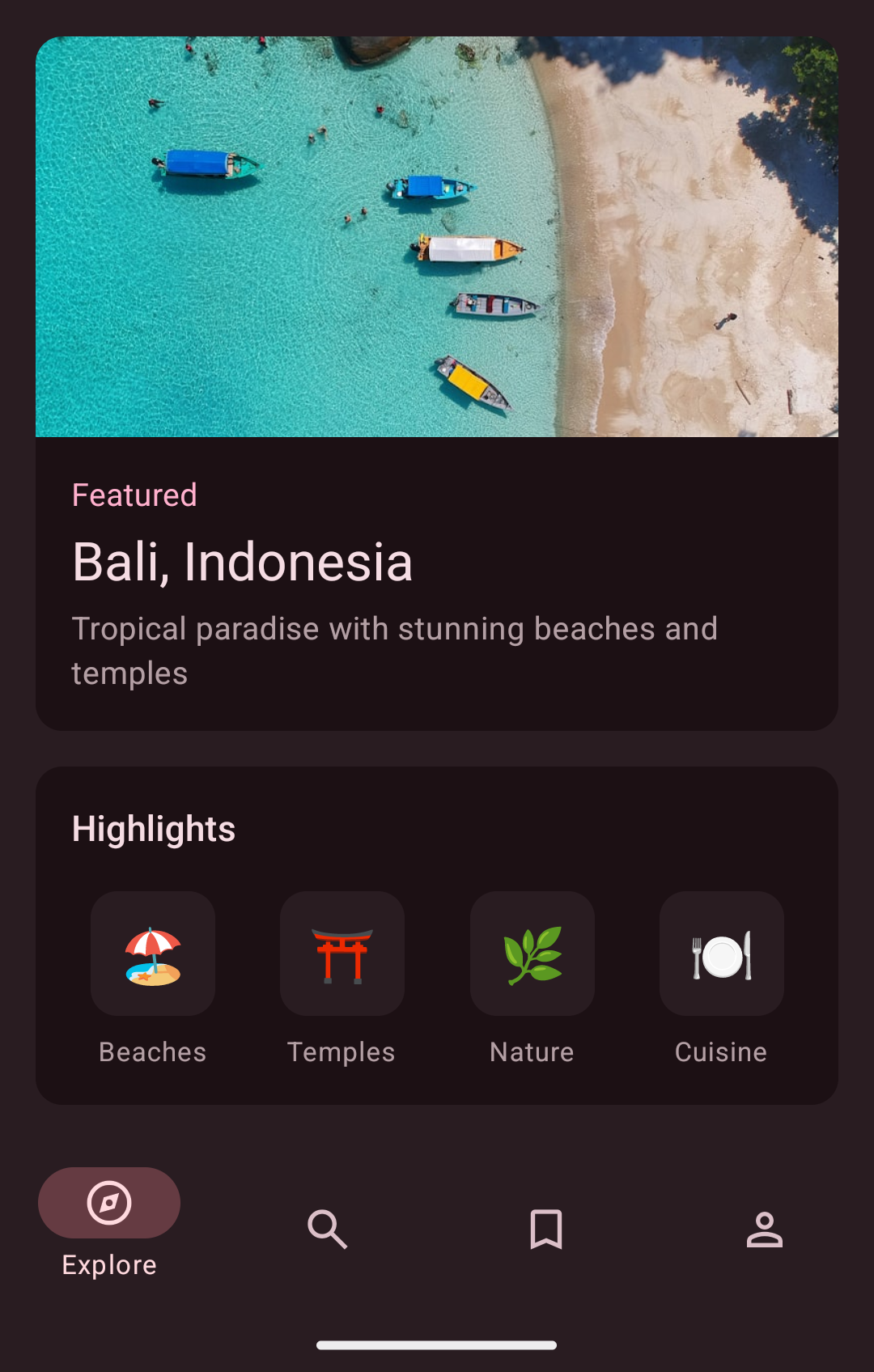
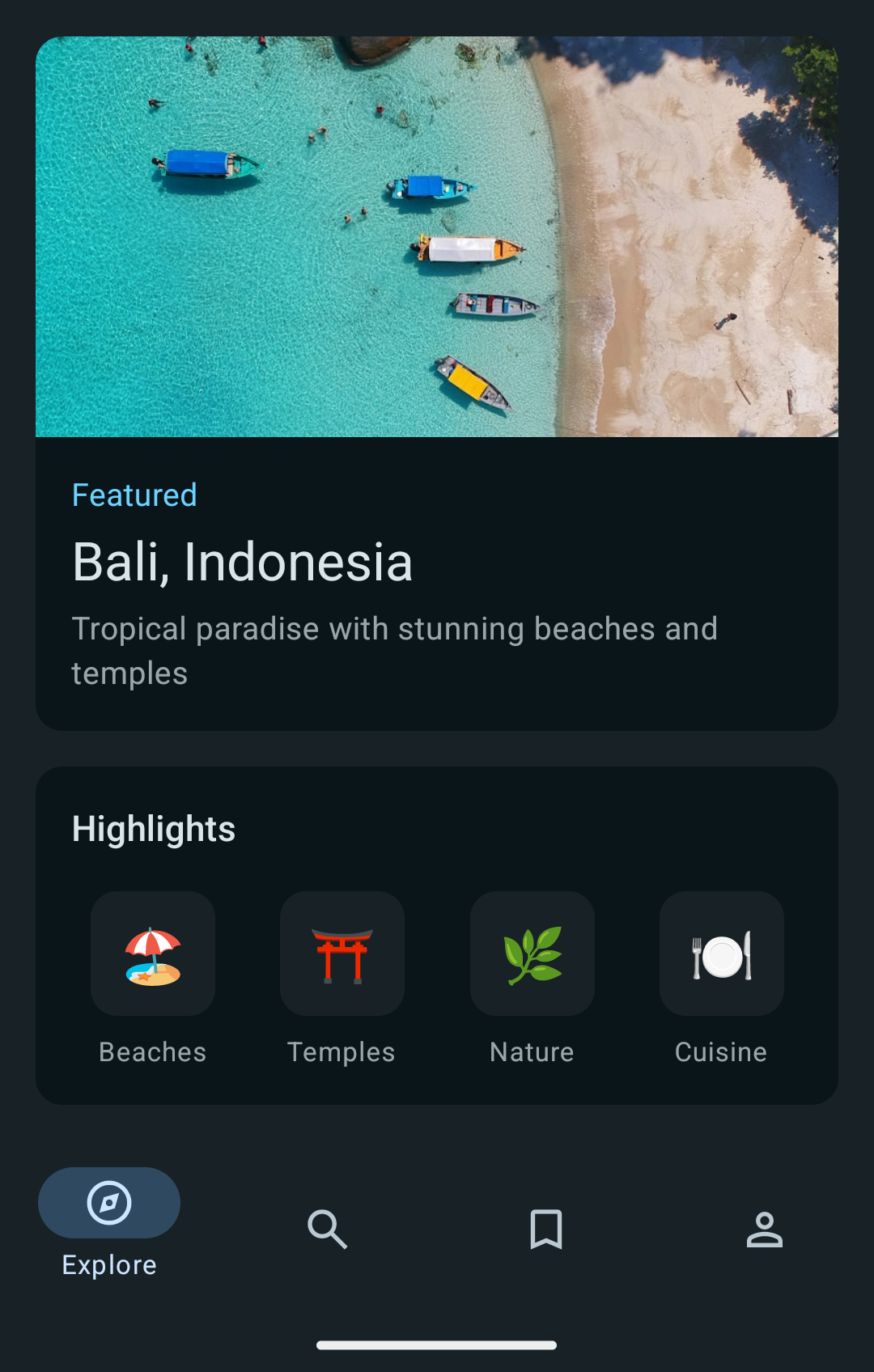
See theming documentation for more details.
UNSTABLE_CornerInset for better iPadOS windowed mode support
We have refactored a lot of our components in React Navigation 8 to minimize the reliance on window dimensions in order to support responsive layouts such as iPadOS windowed mode. Continuing with this effort, we have added a new UNSTABLE_CornerInset component.
Previously content such as custom header's back button would get overlapped by the traffic light buttons (close, minimize, maximize) when using the app in iPadOS windowed mode. The UNSTABLE_CornerInset component is intended to solve this:
import { UNSTABLE_CornerInset } from '@react-navigation/native';

function MyHeader() {
  return (
    <View style={{ flexDirection: 'row', alignItems: 'center' }}>
      <UNSTABLE_CornerInset direction="horizontal" edge="left" />
      {/* rest of your content */}
    </View>
  );
}
The component takes the width or height of the traffic light area based on the content direction and the edge of the screen where you want to apply the inset on iPadOS. It renders a plain View on other platforms.
We internally use this in headers, drawer content etc., but you can also use it in your own components if it makes sense for your layout.
Updated behavior for getId in stack navigators
Previously, the ID returned by getId was treated as a unique identifier. When using navigate or push to go to a route with an ID that already existed in the stack, the stack would rearrange to bring the existing route to the front. However, this resulted in broken behavior with Native Stack Navigator and hard to debug issues.
We have changed the behavior of getId to treat it more like the route name - it will match routes by ID without rearranging the stack:
- If you're already on a screen with the same ID, it will update its params without pushing a new screen.
- If you're on a different screen, it will push the new screen onto the stack.
- If you navigate to a route with an existing ID and
pop: true, it will pop back to the matching route instead of moving it to the top.
While this is a breaking change, the previous behavior resulted in broken behavior with Native Stack Navigator. So we need to change it to avoid confusion and hard to debug issues.
See upgrade guide for migration details.
Accessibility improvements on the Web
Previously, unfocused screens on the Web were hidden from assistive technologies using aria-hidden, but they could still receive focus and interaction unless hidden with display: none, which wasn't possible in all cases.
Now we have a inert attribute available on the Web that can be used to make content non-interactive and hidden from assistive technologies without affecting its visibility. We now use it across all navigators on the Web to improve accessibility.
Navigation events and deep links in Devtools
The useLogger hook from @react-navigation/devtools previously only showed navigation actions. It now shows the following additional information:
- Deep links received by React Navigation
- Events emitted by navigators (e.g.
tabPress)
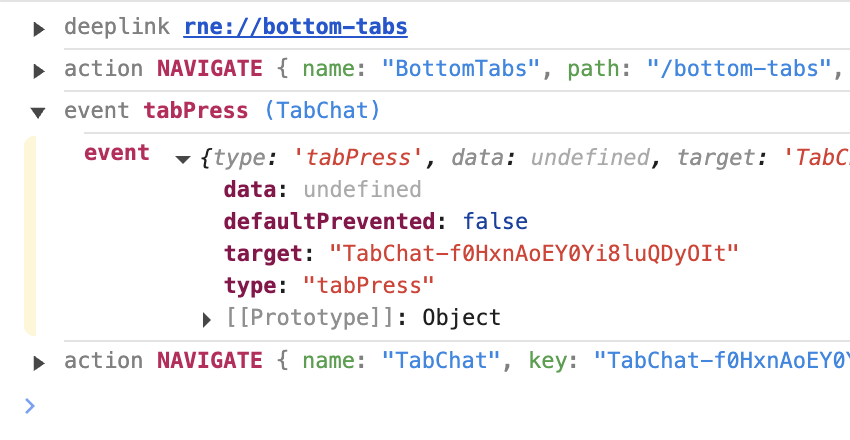
This should help with debugging navigation issues and understanding when deep links are being handled.
See Devtools documentation for more details.
LLM friendly documentation
We have made many improvements to our documentation site to make it more LLM friendly:
- Documentation pages now have a markdown version by appending
.mdto the path (e.g. https://reactnavigation.org/docs/8.x/getting-started.md) - If a client sends an
Accept: text/markdownheader, the markdown version of the page will be returned instead of HTML - Documentation pages now have a "Copy page" button to copy the content of the current page as markdown, or open in ChatGPT and Claude
- A list of all documentation pages and full documentation content is available at
llms.txtandllms-full.txtrespectively
Hopefully these will make it easier to use React Navigation with LLMs.
Plans for the future
The react-native-screens library is being rewritten with a new implementation for Native Stack. We plan to use it for @react-navigation/native-stack and will try our best to keep the same API as much as possible.
We aim to release a beta version once we have the new react-native-screens integration ready, which is a major piece of work that will take some time. Follow us on X to stay updated on the progress.
Try it out
If you'd like to try the latest changes, install from the next tag:
 npm
npm yarn
yarn pnpm
pnpm bun
bun
npm install @react-navigation/native@next @react-navigation/bottom-tabs@next
yarn add @react-navigation/native@next @react-navigation/bottom-tabs@next
pnpm add @react-navigation/native@next @react-navigation/bottom-tabs@next
bun add @react-navigation/native@next @react-navigation/bottom-tabs@next
If you encounter any issues or have feedback, please let us know on GitHub Issues or GitHub Discussions.
Sponsor us
If React Navigation helps you deliver value to your customers, it'd mean a lot if you could sponsor us. Sponsorships help us move faster toward building the best cross-platform navigation library and continue to provide timely support for bug reports in our GitHub issues.